
Companion app · Version 1.1
Your Tensor One, in your hand.
Set up your device, design extraction profiles up to full multi-stage pressure curves, brew and watch shots live from your phone, review your history, and control the machine itself — over WiFi or Bluetooth.
Install directly on Android
While mach.coffee awaits Google Play approval, you can install it directly. The download is the same signed release build (4.4 MB); once the app is live on Google Play, updates will come from there.
- Download mach.coffee v1.1 (.apk) on your Android phone.
- Open the downloaded file. If prompted, allow your browser to install unknown apps (Settings → Apps → your browser → Install unknown apps) — Android asks because the app comes from outside Google Play. You can turn the permission back off afterwards.
- Tap Install. If Play Protect asks, choose Install anyway — the build is signed by us.
Verify your download (optional): the SHA-256 checksum is
e9b44efdb1962ebf9721d6269719dc6b172d06bbb6163de6ead1ffe920374cfa.
Brew from your phone
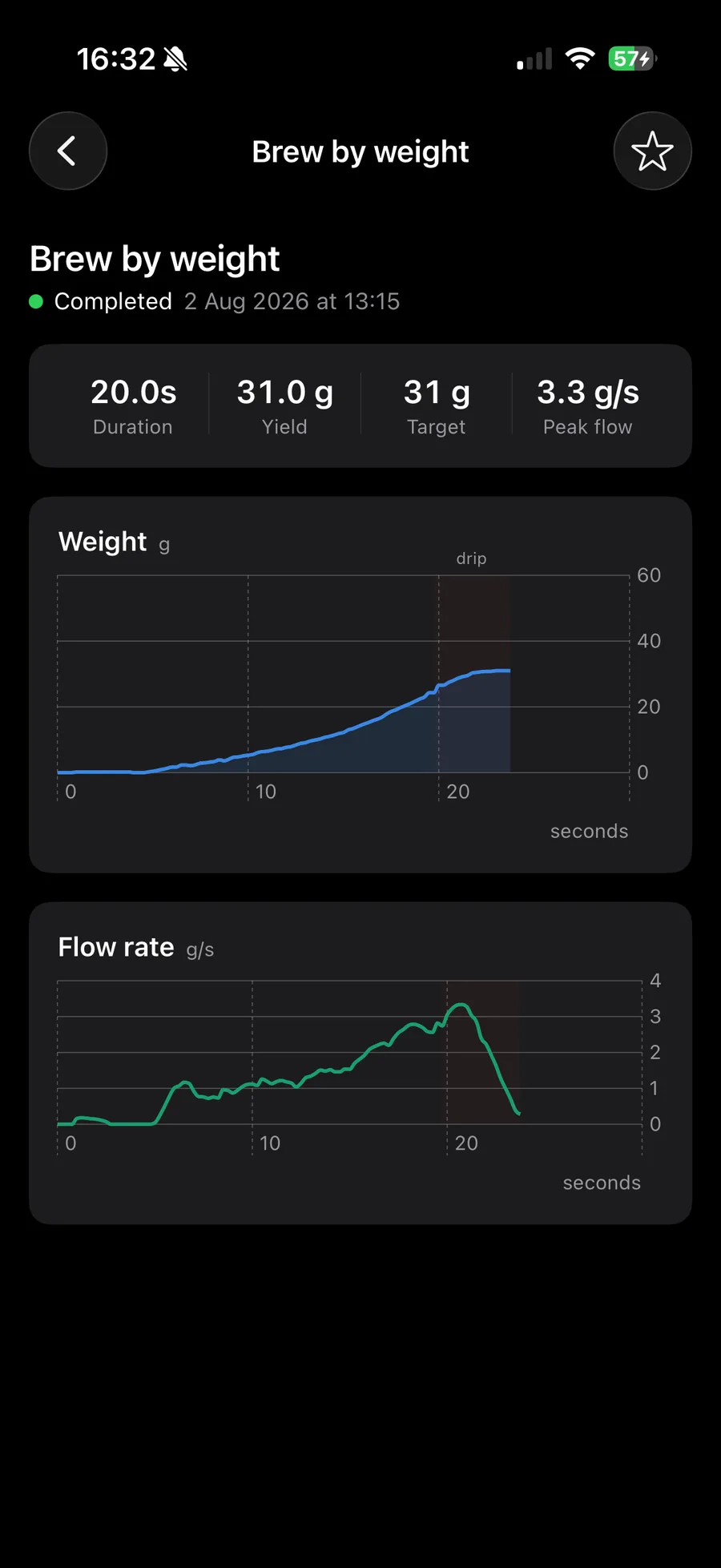
Start it, track it, stop it.
Pull a shot from the app and watch it live: timer, weight and flow rate from your scale, measured pressure against your target curve. Stop it from your phone at any second.
Whether it started at the dial or in the app, every shot syncs to your history. Review the curves, favourite the keepers, and share with your friends.
Pressure profiling
Shape the extraction, stage by stage.
With the Tensor Profiling Kit installed, build multi-stage pressure profiles — up to six stages from 2 to 9 bar, plus blooms: full pauses with smooth pressure tapers in and out. The app draws your curve as you design it, then the controller runs it.
See the Tensor One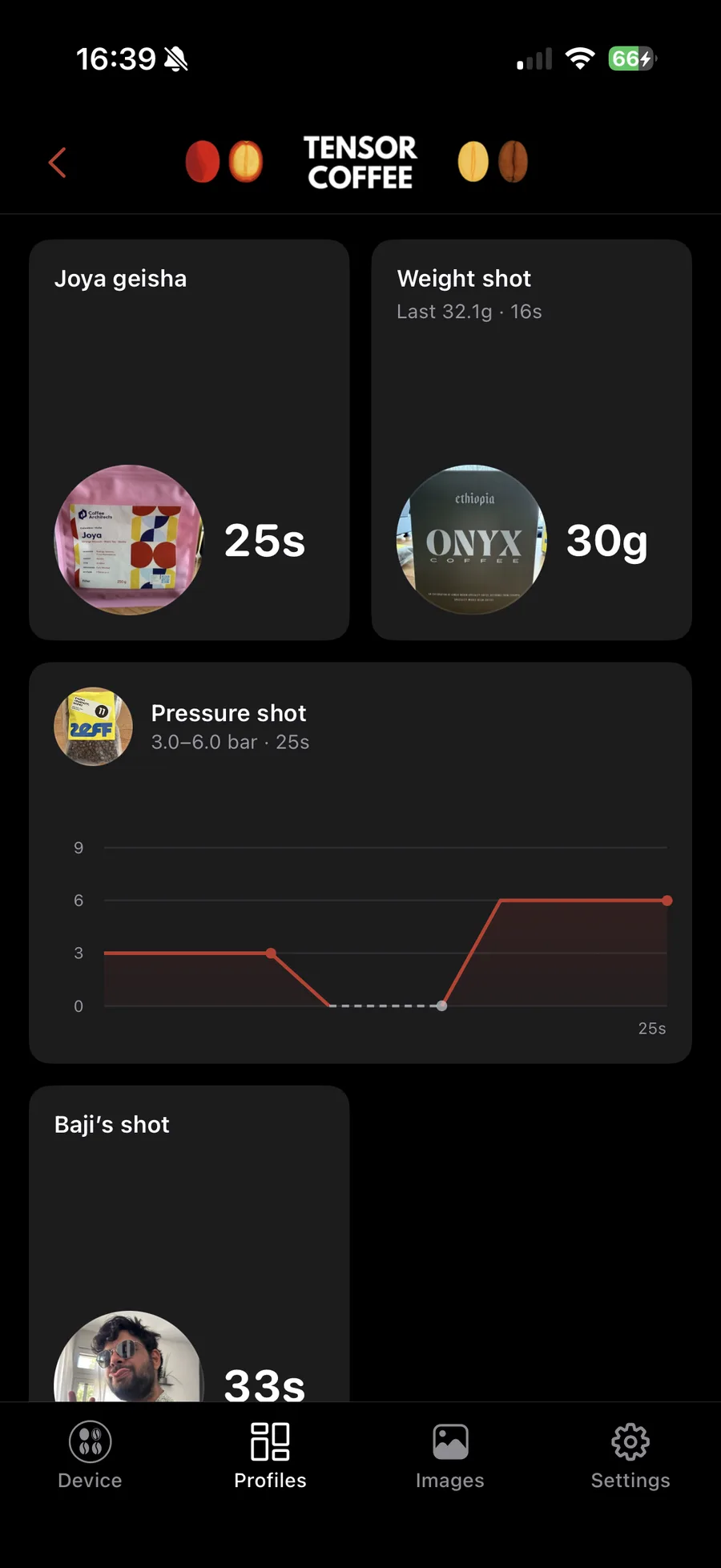
Make it yours
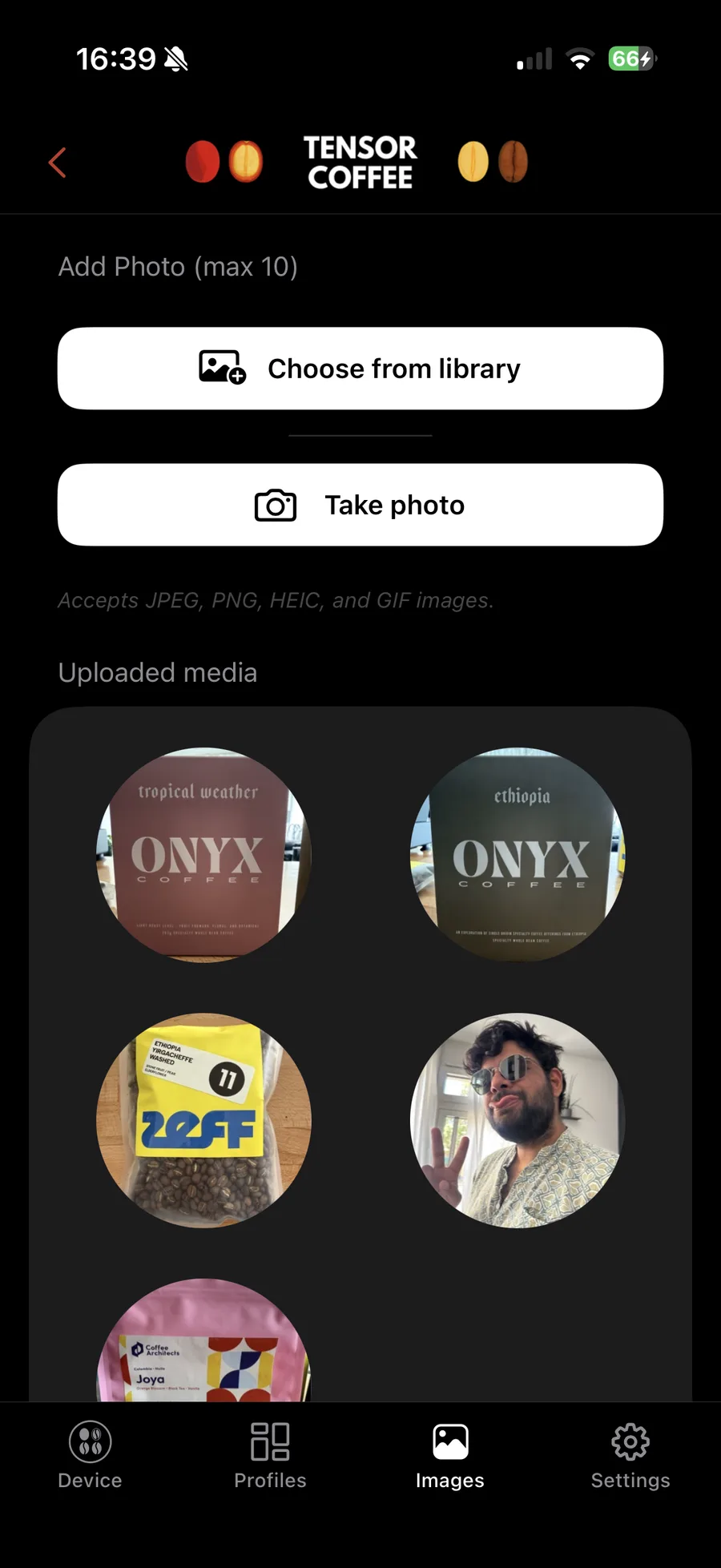
A photo for every profile.
Build the perfect shot for you and your friends — their face on the profile you pull for them — or dial one in for a specific coffee and put the bag on the dial, so the recipe and the beans are never out of sync.
Shoot or pick a photo, crop it in the app, and it shows on the Tensor One's display. Up to ten images, synced to every phone paired with your device.
New in 1.1
| Feature | What it does |
|---|---|
| WiFi connection | Put your Tensor One on your home network for a faster connection, with Bluetooth as an automatic fallback. |
| Pressure profiling | Design multi-stage pressure curves with blooms and smooth tapers. Requires the Tensor Profiling Kit. |
| Brew from your phone | Start and stop shots from the app, with a live monitor showing weight, flow rate, and measured pressure over your target curve. |
| Shot history | Every recorded shot syncs from the controller — review the curves and favourite the ones worth repeating. |
| Machine controls | Boiler temperature, steam level, standby, and guided backflush cleaning. |
| Firmware updates | The controller fetches and installs its own updates over WiFi, started from the app. |
| Profile photos that sync | Images assigned to profiles now reach every phone paired with your device. |
| Device colour library | Custom accent colours for the dial, kept in sync between app and controller. |
| Redesigned dashboard | A rebuilt home and device screen — and full iPad support. |
System Requirements
- A Tensor One controller (Version Micra or Version Mini R) or a Tensor Zero installed on your La Marzocco Linea Micra or Linea Mini R.
- iPhone or iPad running iOS 17 or later, or an Android phone running Android 8.0 or later.
- Bluetooth for setup; a 2.4 GHz WiFi network is recommended for the fastest connection and for firmware updates.
- Brew-by-weight requires a compatible Bluetooth scale.
- Pressure profiling requires the Tensor Profiling Kit.
- Machine controls require pairing the Tensor One with your La Marzocco machine, which uses your La Marzocco account.
Privacy
There is no Tensor account, no analytics, and no tracking. Your profiles, photos, and shot history live on your phone and your controller, and the app talks to the controller directly — over Bluetooth or on your own network. Details in the privacy policy; use of the app is covered by the end-user licence agreement.
Questions?
See Support & FAQ or write to support@mach.coffee.